Meet the new Curri Routes app

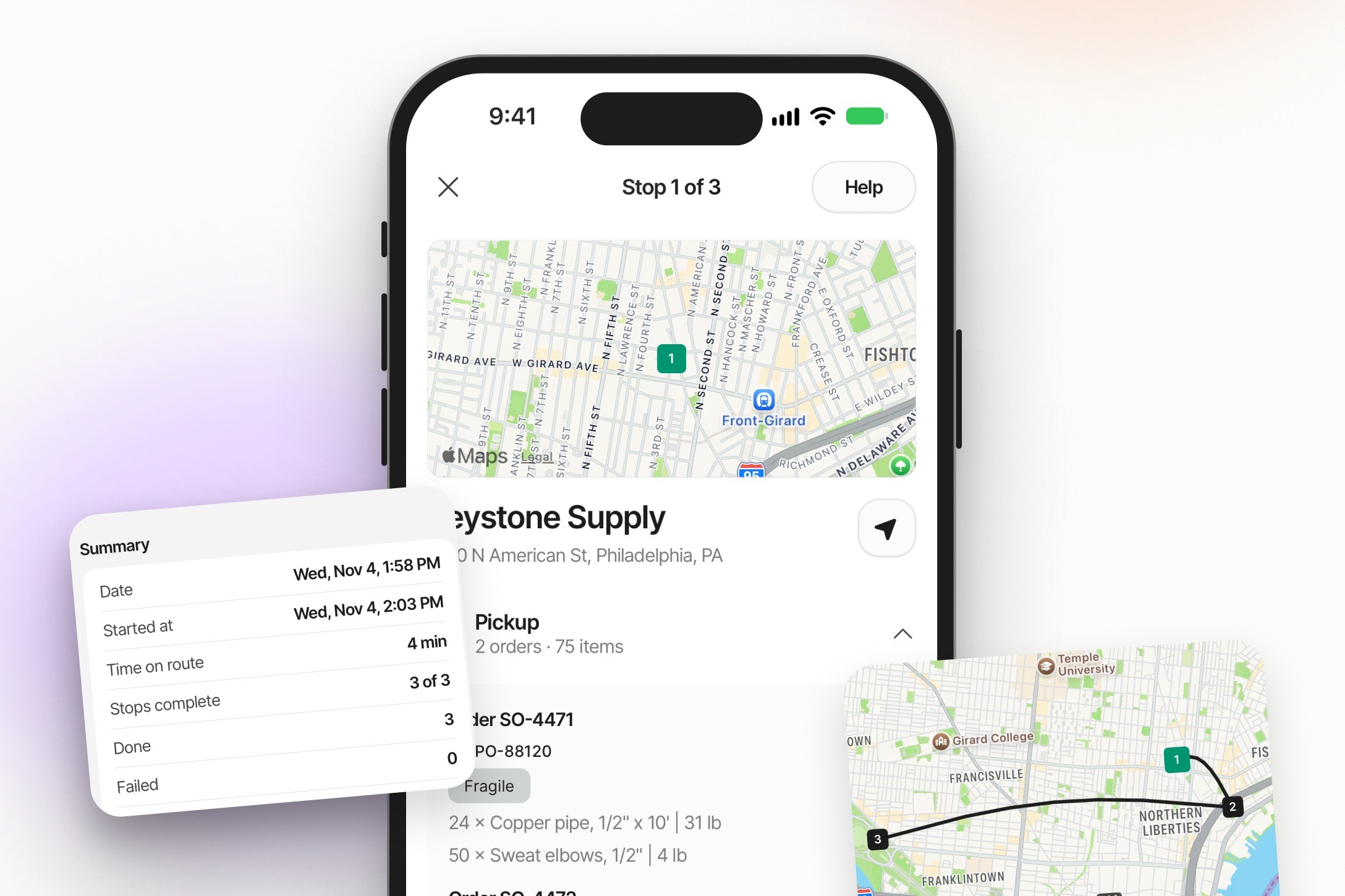
The Curri Routes app has a brand-new look.
We redesigned the Curri Routes driver app, the app drivers use to run Route Planner routes. It now walks them through every stop, one step at a time. Planning and dispatch in Route Planner stay the same.
What's new
- Step-by-step stops. Each stop opens on the next task in order. Drivers slide to arrive, start the stop and always see which stop they're on and what's left. They can also start a break between stops, right from the route.
- Prompts for proof. You set custom stop tasks for a proof of delivery (POD), a signature or a freight photo. At those stops, the camera tells the driver what to take, and AI confirms each photo is clear. When a stop has more than one order, drivers tag each photo to the right order.
- A reason for every exception. If a driver can't finish a stop, they tap Report an issue and pick a reason, so everyone knows what happened.
- End-of-day review. Drivers check a summary of the whole route before they close out, while there's still time to fix anything they missed.
- Works offline. The app keeps working in dead zones, so routes keep moving when a driver loses signal.
Your drivers update to the latest version
Your drivers get the new look by updating the Curri Routes app to the latest version from the App Store or Google Play. Every driver on a Route Planner account, contract and trial, gets the new flow when they update. Nothing changes in Route Planner, so there is nothing for you to update.
Drivers pick up the new flow fast, because each step tells them what to do next. The video above walks through the full flow from the driver's side, so it's a good one to share with drivers before their next route.
If you have questions about the new app, reach out to your account manager or our support team.
See the new app in action
Watch the driver walkthrough, or talk to us about Route Planner.