Curri's MCP server lets your AI agent book deliveries

Most supply houses book the same deliveries every day. Same branches. Same job sites. Someone copies an address out of an order email, opens Curri, picks a vehicle and books it, then does it again for the next order.
Today we're adding a feature to Curri so your AI agent can take that work on. It's called the Curri MCP server, and you sign in to it with the Curri account you already have. If your team already works in Claude Code, Claude Desktop, Cursor or another MCP client, you can connect it to Curri in a few minutes and book deliveries by asking.
MCP in one paragraph
Model Context Protocol is an open standard that lets AI assistants use outside tools. A company publishes an MCP server, and any compatible agent can call it. Ours lives at mcp.curri.com/mcp. Connect to it and your agent gets seven Curri delivery tools, running on the same API our own team uses every day.
The gap it fills
Until now there were two ways to book with Curri. The marketplace is quick for one delivery at a time. The API is the right call for accounts with engineers who can build a full integration.
Plenty of distributor ops teams sit in between. They book enough volume that clicking through each order eats hours, and they don't have dev time for an integration project. Marcus Bernales, the engineer who built the Curri MCP, describes it as automation without an integration project. You don't write a line of code.
What you can do with it
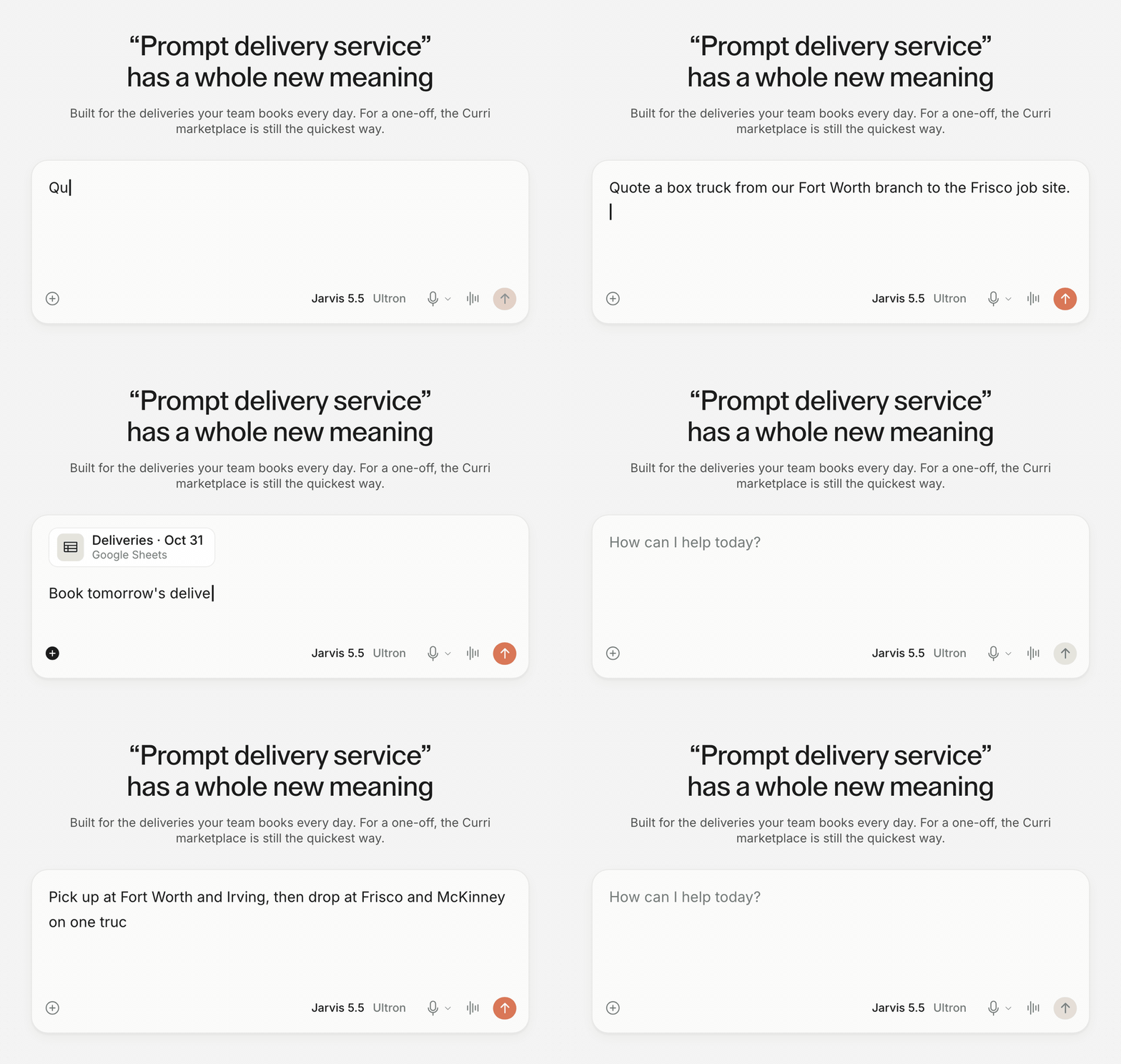
Get a quote in plain English. Tell your agent you need a few boxes from Oak Street Supply in Fort Worth to AT&T Stadium right away. It comes back with every vehicle that can run the route, cheapest first, with Rush, Same day and Scheduled pricing side by side.
Book from your inbox. Set up an agent to watch for order confirmations. When one lands, it quotes the delivery and books it.
Book a day's runs from one file. Drop a CSV of tomorrow's orders into the chat and your agent books every row.
Run multi-stop routes on one truck. Two pickups in Fort Worth and Irving, then drops at job sites in Frisco and McKinney, all on one box truck and booked as a single delivery. Your agent lays out the stops in the order the driver runs them before anything is booked.
Check on anything without logging in. Ask what's still out today and get every open delivery with its live status. When a customer says their order never showed up, your agent can pull the proof-of-delivery photos by PO number in a few seconds.
You approve every paid booking
Booking through the MCP is a two-step process. In Claude and Cursor, your agent shows you the route and the price, then waits. The booking goes through only after you confirm.
Every call runs through Curri's API with your own login. Your account permissions work the same way they do in the app, and any tool you haven't been granted won't appear for your agent at all.
There's no extra charge for this feature. You pay for the deliveries you book, at your normal Curri pricing.
Get set up
In Claude Code it's one command.
claude mcp add --transport http curri-api https://mcp.curri.com/mcp --scope userIn Claude Desktop, Cursor or another MCP client, add https://mcp.curri.com/mcp as a server. Sign in with your Curri account when the browser opens, then ask for your first quote. Backend agents can connect server-to-server with an OAuth token, and the setup guide walks through each option.
Set up the Curri MCP server and book your first delivery by asking.
Put your AI agent to work on deliveries
Book a demo to see Curri in action, or sign up and connect your agent in minutes.